Return to Origin
Route items back to where they belong in a few clicks.
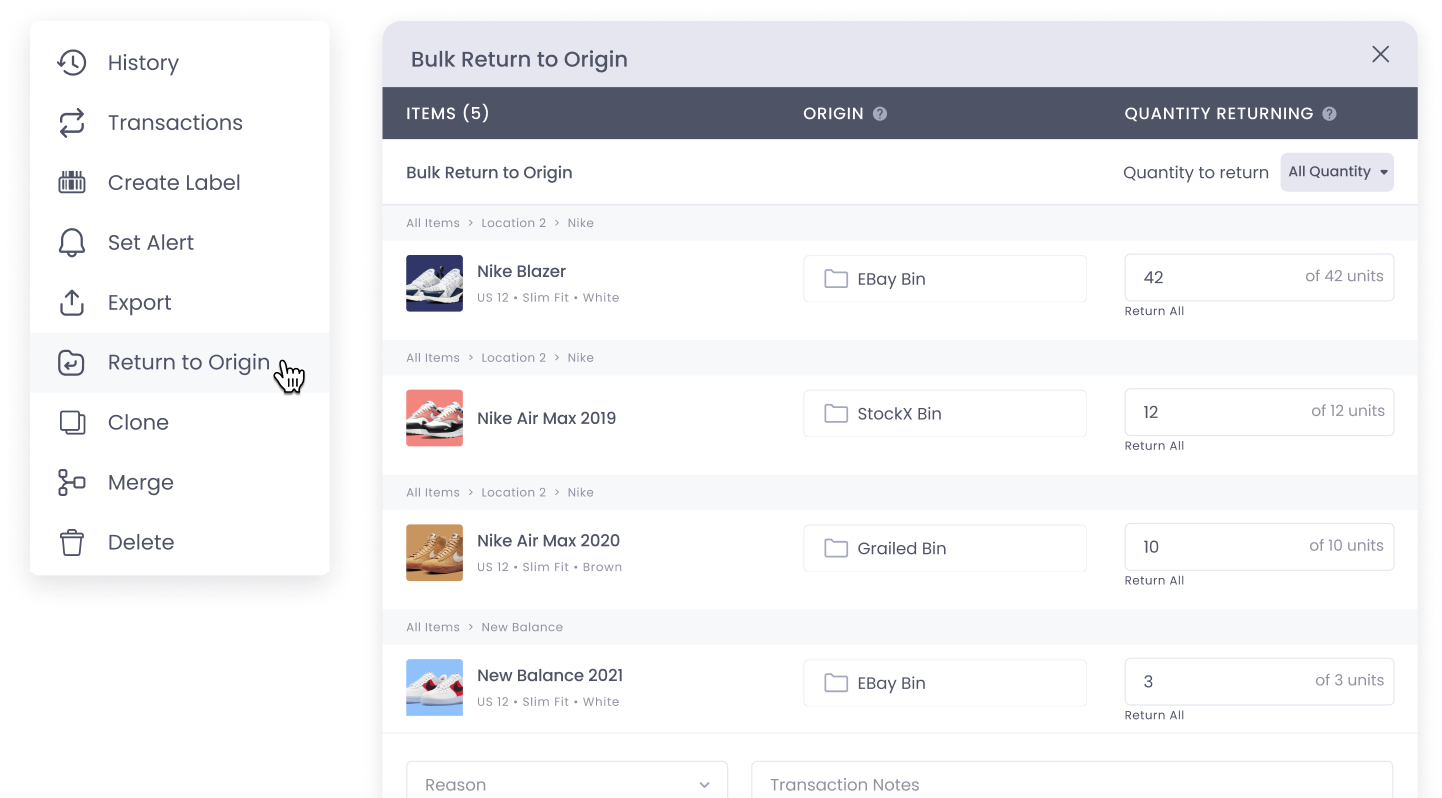
On the Core team, I designed Return to Origin to fix the check-in/check-out workflow for inventory-heavy businesses. It lets users send items back to their original folders in bulk, replacing the manual workarounds teams had built to cope. By taking the friction out of a frequent, tedious task, it helps teams reset faster and trust where their inventory stands.
Item check-ins are messy, slow, and frustrating
Every project requires moving items into checked-out folders. But when the work's done, putting them back is a guessing game: clicking through reports, digging through folders, hunting for where things belong.
“It would be nice to have a home folder for an item, that way returns can be much easier.”
“Without this feature, it's a show-stopper for us. We tried to implement something similar using tags, without much success.”
“Returning items back causes more work in the system than it is worth at this point.”
“It's imperative that we have something like this! Like an undo and restore. I had an employee mess up our database, and it took forever to manually move everything back to original locations.”
“I need to send items back to their location everyday. A feature like this would be a MASSIVE time saver for so many people.”
“It would be nice to have a home folder for an item, that way returns can be much easier.”
“Without this feature, it's a show-stopper for us. We tried to implement something similar using tags, without much success.”
“Returning items back causes more work in the system than it is worth at this point.”
“It's imperative that we have something like this! Like an undo and restore. I had an employee mess up our database, and it took forever to manually move everything back to original locations.”
“I need to send items back to their location everyday. A feature like this would be a MASSIVE time saver for so many people.”
Over 250 support requests flagged confusion around item check-ins in a single quarter. A focused discovery sprint, spanning user interviews, session recordings, and support tickets, surfaced one consistent mismatch. Users think of items as belonging somewhere permanent; Sortly's data model treated every move as stateless.
250+
support requests in one quarter
78%
of post-job cleanup = moving items home
15–30 min
average cleanup time per job
Teams were building workarounds: custom folder naming conventions, sticky notes on shelves, verbal hand-offs between shifts. The software had no memory of where things came from, so users had to.
With 250+ requests and a clear picture of the pain, I redesigned check-ins around how people actually think about their items.
Feature Enablement
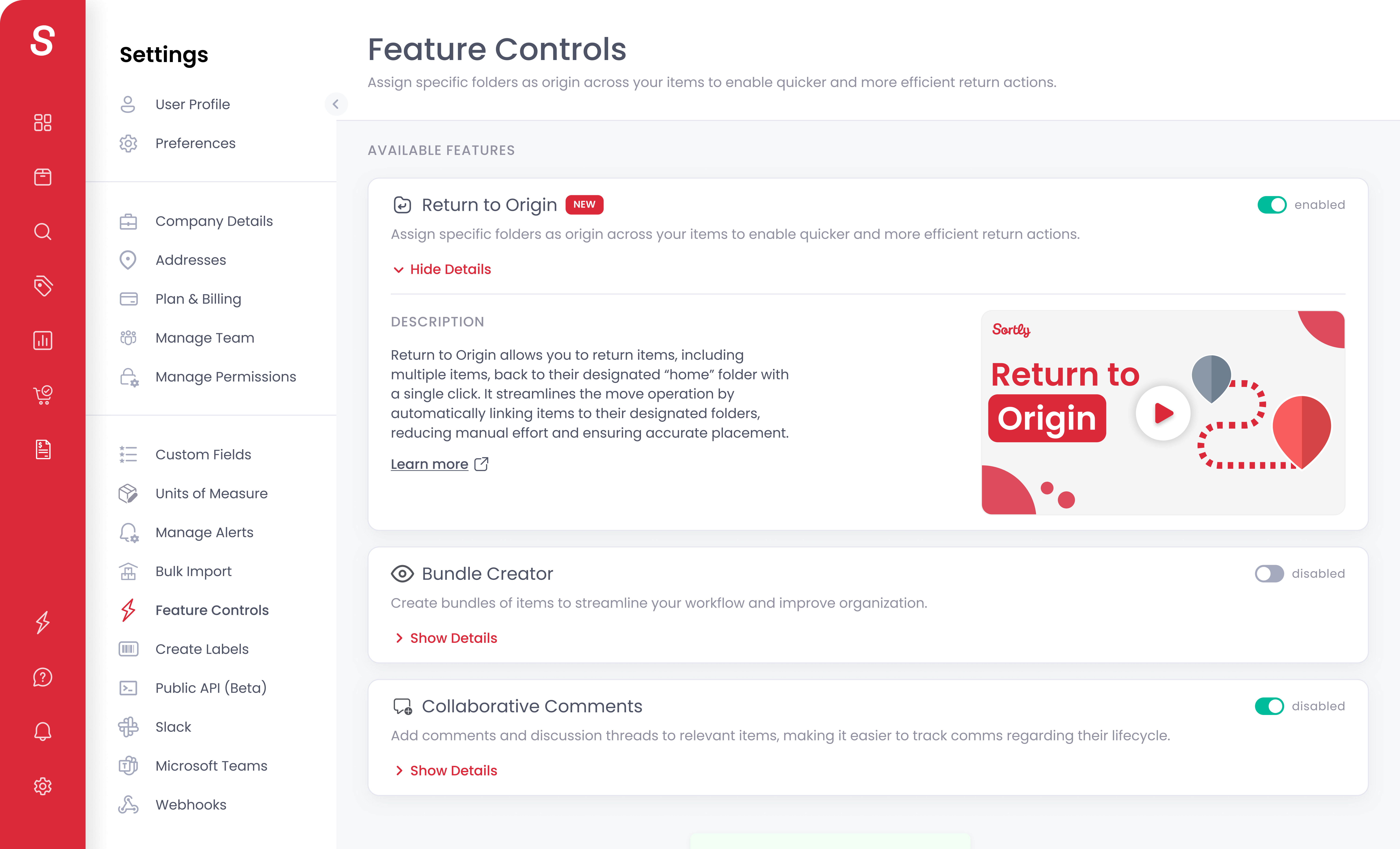
As a specialized feature created for businesses with a check-in, check-out model, we created a control hub where users can turn these features on.
Set Origin Folders
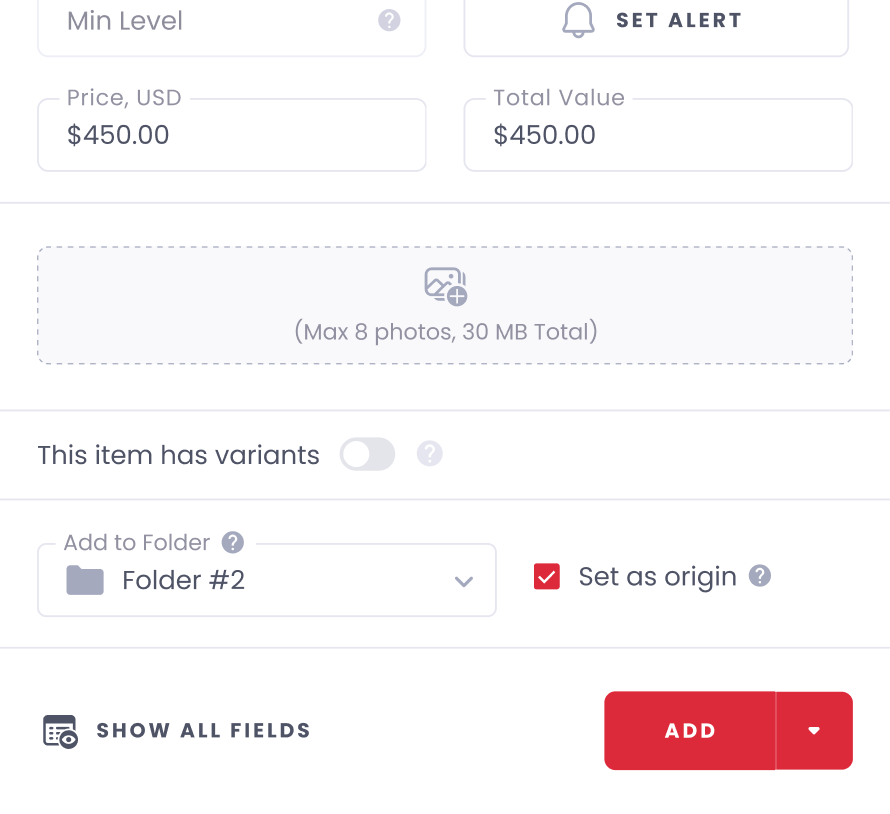
Each item can be assigned a default origin folder from its details page, or in bulk. This one-time setup powers fast, one-click returns later.
Single Item Return
Users can return an item to its original folder with a single click from the item details view.
Bulk Return Flow
Bulk-select multiple items and return them to their origins in just a few steps. Perfect for post-job resets or end-of-day inventory cleanup.
Mobile Experience
The full Return to Origin workflow is available on mobile, from quick actions to bulk returns. Designed for speed and clarity, even on the go.
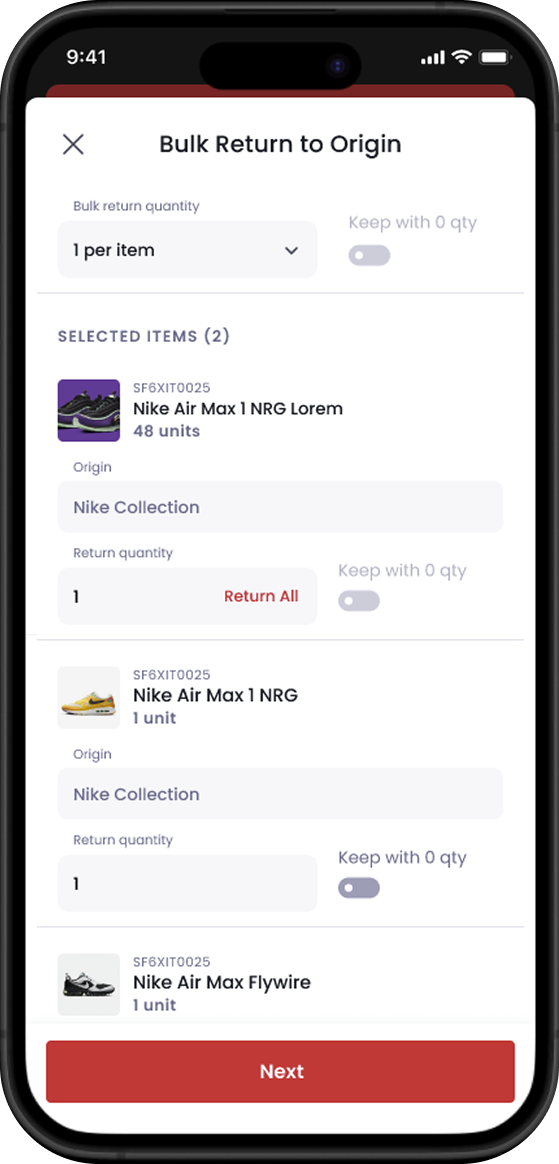
Return to Origin fits into Sortly's existing check-in flow: powerful when you need it, invisible when you don't.
Return to Origin shipped in Q2 2025 to Sortly's full business customer base. Within 30 days it became one of the most-used inventory workflows in the product. Post-launch surveys showed strong NPS improvement among field teams, and the feature set the foundation for an upcoming smart defaults initiative that will extend origin logic across other core workflows.
40%
reduction in reported cleanup time
Top 3
most-used workflow within 30 days
250+
support requests resolved at the root